Tips for Creating a Productive Home Office Space
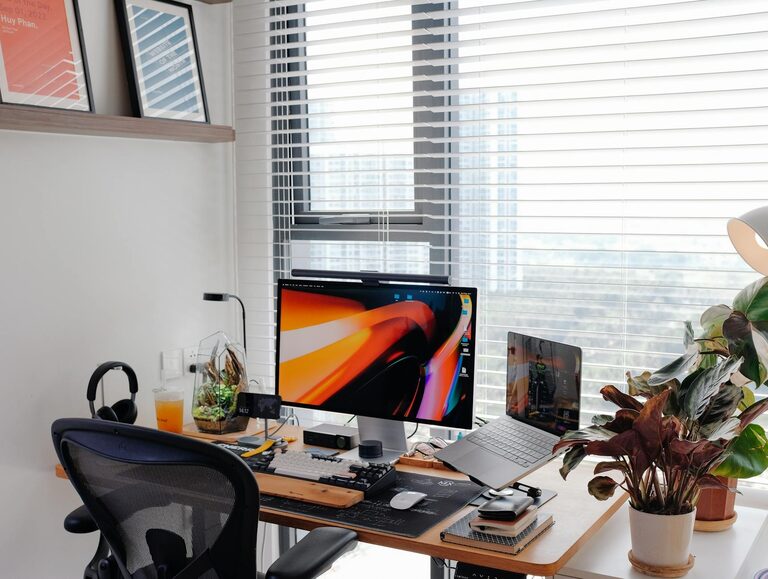
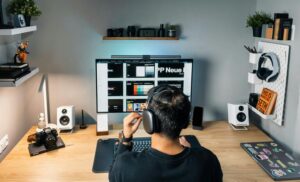
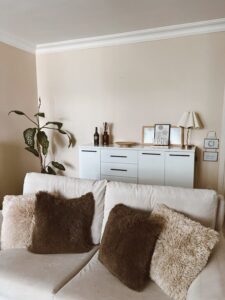
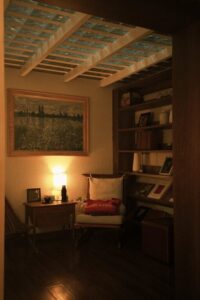
Creating a productive home office space is essential for anyone working remotely or managing tasks from home. A well-designed workspace can improve focus, reduce distractions, and help maintain a healthy work-life balance. Whether you have a dedicated room or a small corner in your living space, these tips will guide you through setting up a home office that promotes productivity and comfort.
1. Choose the Right Location
Selecting the ideal spot for your home office is the first step. Consider the following:
– Natural Light: A space near a window can provide natural light, which is beneficial for mood and alertness.
– Quiet Environment: Pick a quiet area away from household noise and distractions.
– Space Requirements: Ensure there is enough room for your desk, chair, and any equipment or storage you may need.
If space is limited, even a nook or corner in a quieter part of the home can work well.
2. Invest in an Ergonomic Chair and Desk
Comfort is key when spending long hours working. Choose furniture that supports good posture:
– Ergonomic Chair: Opt for a chair with adjustable height, lumbar support, and comfortable cushioning.
– Appropriate Desk Height: Your desk should allow your arms to rest comfortably at about a 90-degree angle while typing.
– Standing Desk Options: Consider a sit-stand desk, which lets you alternate between sitting and standing throughout the day.
An ergonomic setup helps prevent back pain and repetitive strain injuries, contributing to sustained productivity.
3. Design an Organised and Clutter-Free Space
An organised workspace can help clear your mind and improve focus. Here’s how to keep things tidy:
– Storage Solutions: Use shelves, drawers, or filing cabinets to keep documents and supplies organised.
– Minimal Desk Items: Keep only essentials on your desk to reduce clutter.
– Cable Management: Use clips or trays to organise cables and prevent tangled wires.
Regularly declutter to maintain a clean, inviting environment.
4. Personalise Your Workspace
Your home office should be functional but also inspiring. Adding personal touches can boost motivation:
– Plants: Indoor plants improve air quality and add a calming natural element.
– Artwork or Photos: Include items that make you happy and inspired without overwhelming the space.
– Colour Scheme: Choose colours that enhance focus and calmness, such as soft blues, greens, or neutrals.
However, avoid overdecorating to maintain a professional and distraction-free zone.
5. Optimise Lighting
Proper lighting reduces eye strain and creates a welcoming atmosphere.
– Natural Light: Harness natural daylight where possible.
– Task Lighting: Use desk lamps with adjustable brightness for reading or detailed work.
– Avoid Glare: Position screens and lights to minimise glare on your computer monitor.
Good lighting supports alertness and reduces fatigue during long working hours.
6. Maintain Boundaries Between Work and Home Life
One challenge of working from home is separating work time from personal time.
– Set a Schedule: Define your working hours and stick to them.
– Physical Boundary: If possible, close the door or mark the workspace as “work only.”
– End-of-Day Routine: Develop a ritual to signal the end of the workday, such as shutting down your computer or tidying your desk.
Clear boundaries help maintain balance and prevent burnout.
7. Use Technology to Your Advantage
Incorporate reliable technology to support your workflow:
– Fast Internet Connection: Ensure your broadband is stable and sufficiently fast.
– Quality Equipment: Invest in a good computer, monitor, keyboard, and mouse.
– Productivity Tools: Use apps and software for time management, communication, and project organisation.
Regularly update your technology to minimise disruptions.
8. Control Noise and Distractions
Noise can be a major productivity killer. Here are some ways to manage it:
– Noise-Cancelling Headphones: Useful if you have a noisy environment.
– White Noise Machines or Apps: These can mask distracting sounds.
– Communicate Boundaries: Let family members or housemates know your working hours.
Reducing distractions allows for better concentration and more effective work.
9. Keep Essentials Within Reach
Having important items nearby saves time and keeps you organised:
– Office Supplies: Pens, notebooks, chargers, and other frequently used items should be easily accessible.
– Water Bottle or Coffee: Stay hydrated and manage energy with beverages close at hand.
– Notepad or Digital Notes: For jotting down quick ideas or reminders.
Organising essentials around your workstation streamlines tasks.
Conclusion
Creating a productive home office space involves thoughtful planning and attention to comfort, organisation, and environment. By choosing the right location, investing in ergonomic furniture, managing clutter, personalising your space, and setting clear boundaries, you can enhance focus and wellbeing while working from home. Remember, a well-designed home office not only supports productivity but also nurtures a positive and balanced lifestyle.